Quick Access:
Your RakefetOnline Tools at Your Fingertips!
Work Smarter, Save Time, and Make RakefetOnline Work for YOU!
At RakefetOnline, we believe managing your organization should be simple, efficient, and convenient. That's why we've created Quick Access, a customizable tool designed to put your most frequently used software pages, reports, and features right at your fingertips!
What Is Quick Access?
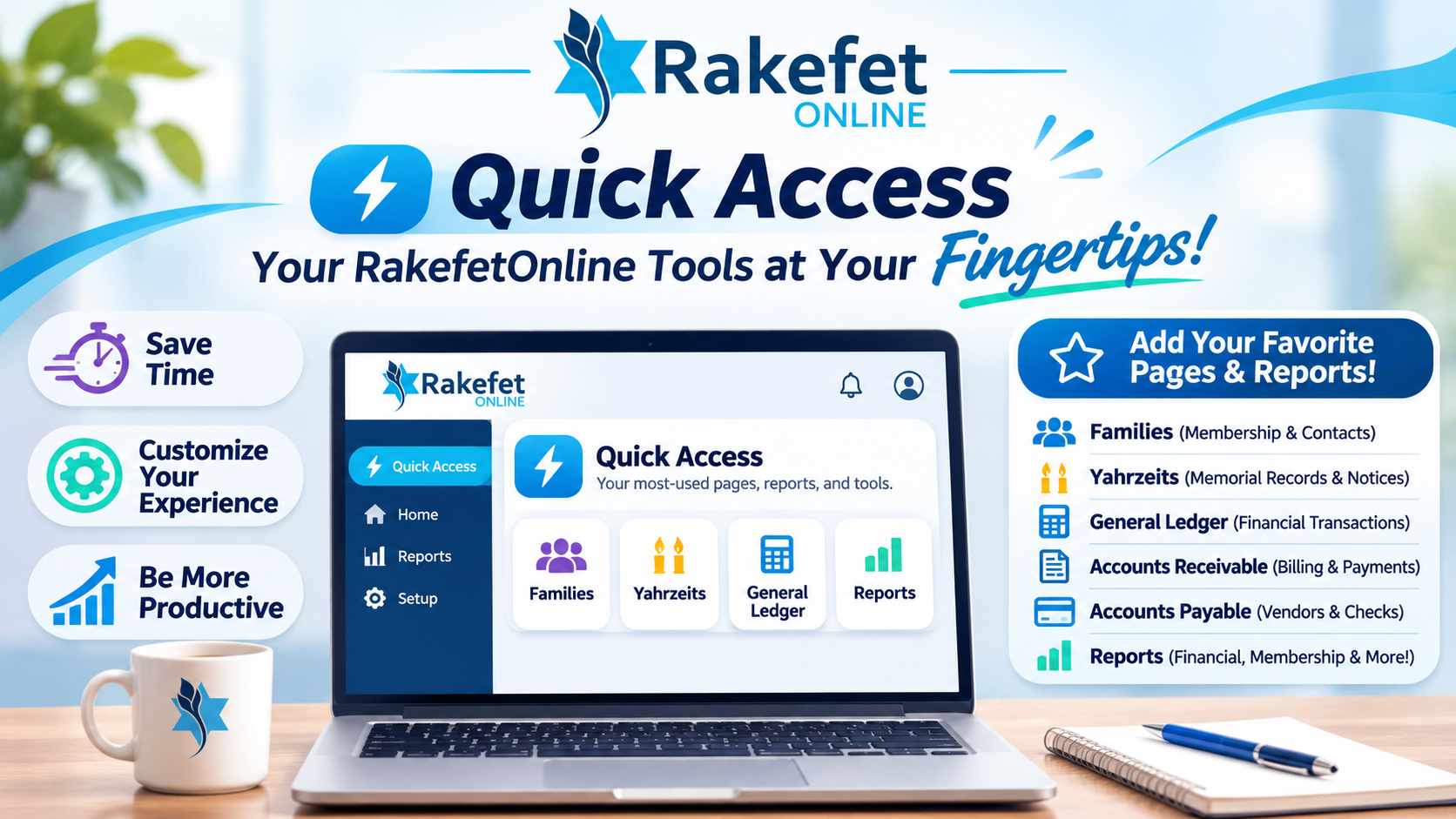
Quick Access is your personalized shortcut menu within RakefetOnline. Instead of navigating through multiple menus to find the tools you use every day, Quick Access allows you to create your own collection of favorite software pages and reports—all in one convenient location.
What Do We Mean by Software Pages?
In RakefetOnline, a page is an area of the software where you perform specific tasks, manage information, or access important features.
For example, you might regularly visit:
- Families: Access and manage family profiles, membership information, contact details, and individual records.
- Yahrzeits: Manage memorial records, Yahrzeit information, and related notices and reports.
- General Ledger: Review and manage your organization's financial transactions and accounting records.
- Accounts Receivable: Manage member billing, charges, payments, and outstanding balances.
- Accounts Payable: Manage vendors, bills, payments, and check writing.
- Bank Reconciliation: Reconcile bank transactions and review financial activity.
- Form Builder: Create and manage online registration, membership, donation, and payment forms.
- Email & Communications: Access tools for communicating with your members and donors.
These are just a few examples of the many RakefetOnline pages you can add to Quick Access.
You can also add your favorite reports! Whether you frequently review financial statements, membership lists, outstanding balances, donation reports, or Yahrzeit reports, Quick Access makes it easier to return to the information you need.
Why Is Quick Access Important?
- Save Valuable Time: Skip the extra navigation and go directly to your frequently used software pages and reports.
- Customize Your Experience: Build a shortcut menu around the tasks you perform most often.
- Improve Productivity: Spend less time looking for features and more time managing your organization.
- Simplify Your Workflow: Keep your essential tools together in one convenient location.
- Make RakefetOnline Your Own: Each user can organize Quick Access according to their individual responsibilities and preferences.
One Software Platform. Different Users. Personalized Workflows.
Not everyone uses RakefetOnline the same way!
Your membership administrator might frequently access Families, Individual Records, Membership Reports, and Yahrzeits.
Your bookkeeper might prefer quick access to General Ledger, Accounts Receivable, Accounts Payable, Bank Reconciliation, and Financial Reports.
Your office administrator might prioritize Form Builder, Email Communications, Family Records, and Reporting Tools.
With Quick Access, each user can create shortcuts to the pages and reports most important to their work, making RakefetOnline even easier to navigate.
Your Software. Your Workflow. Your Quick Access.
Quick Access is more than a collection of shortcuts. It's a simple but powerful way to improve your daily software experience.
Why search through menus when your favorite RakefetOnline pages and reports can be just one click away?
Take advantage of Quick Access and enjoy a more organized, efficient, and personalized RakefetOnline experience.
RakefetOnline — Powerful Tools. Smarter Workflows. Simpler Management.